
Tracking macros is one thing when you’re only cooking for yourself, but it gets a lot more complicated when you’re also feeding a family. Fortunately, there are apps that can make everything from tracking macros to meal planning and grocery shopping easier. Here are six worth checking out.
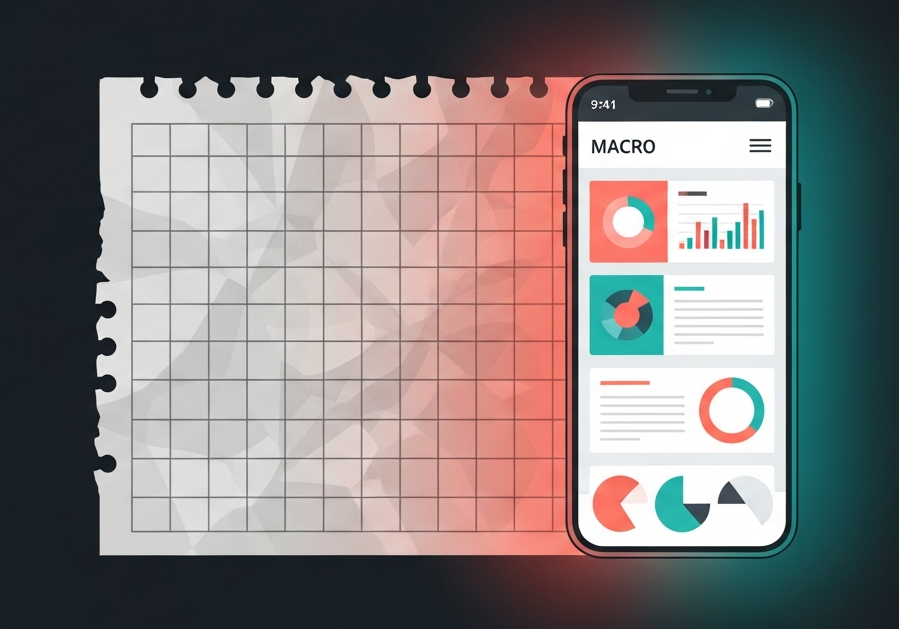
Most macro tracking advice is written for someone who cooks one meal, for one person, when they choose. That is not the job. The job is getting decent protein into yourself while making a dinner three other people will eat, on a Tuesday, having already finished half a fish finger at the counter.
Plenty of us have tried running that on a spreadsheet: a column each for protein, carbs and fat, a second sheet for the week’s dinners, a total meant to keep the shop under control. It works until the week it does not, because nobody redoes the totals after dinner becomes beans on toast. Below are six apps that take over different parts of that job, with 2026 prices.
What Actually Breaks Macro Tracking When You Have Kids
Worth naming first, because it decides which app is worth your time.
- The grazing. Crusts, leftover pasta, the last three grapes. Real food that never gets logged, which is why the numbers stop matching reality by Wednesday.
- Cooking twice. Any plan that has you eating separately dies quickly, because nobody makes two dinners for long.
- The bad week. Illness, a school event, a late shift. Apps that expect perfect daily logging punish it. Apps that plan ahead absorb it.
Quick Pick: Which App Fits Which Kind of Week
| App | Best for | Starting price | Verdict |
|---|---|---|---|
| 1. Eat This Much | One dinner that feeds everyone, still hits your numbers | Free / $5 a month billed annually | Plans for your household, not just you. |
| 2. Samsung Food | Your own recipes, and a list someone else can shop | Free / Food+ $6.99 a month | Macro targets went free in late 2025. Unbeatable for nothing. |
| 3. Mealime | 30-minute dinners, fussy eaters filtered out | Free / Pro from about $2.99 a month | Cheapest planned week, but caps at four servings. |
| 4. Cronometer | Iron and calcium when a family diet is restricted | Free with ads / about $55 a year | Answers whether you eat enough, not just enough protein. |
| 5. MacroFactor | Targets that no longer fit your life | About $71.99 a year, no free tier | Redoes the weekly math, leaves dinner to you. |
| 6. MyFitnessPal | Already on your phone from before the kids | Free with ads / Premium $19.99 a month | Familiar, but grams and scanning cost extra. |
1. Eat This Much: Builds the Plan Around Your Family, Not Just You
Sets meal plans to exact protein, carb and fat targets, then scales those meals for the number of people you feed.
Verdict: The only one treating cooking for other people as part of the problem.
Eat This Much plans instead of logging, which handles the grazing sideways: your portions are settled before anything is cooked, so an evening off plan is one swap rather than a broken week. You set your targets, then how many people each meal feeds, and it scales quantities onto the grocery list. Dislikes are held per child, and allergens set as exclusions stop appearing. A daily price cap builds the week to a budget rather than reporting the damage afterwards. Free covers a day at a time; Premium is $5 a month annually.
The honest downside: The more you rule out, the smaller the recipe pool. Dairy-free plus nut-free plus a low budget and the same dinners come round quickly.
2. Samsung Food: Puts Macros on the Recipes You Already Make
Saves recipes from any website or a video someone sent you, works out their macros, and sets daily targets free.
Verdict: The most useful free tier here, and the only shareable shopping list.
Most trackers assume your food has a barcode. This one assumes it came from a recipe, closer to how a family kitchen runs. Send it a link and it pulls out ingredients, steps and a photo, then attaches nutrition, so the macros land on the meal you were making anyway. Tracking was paid until the 2.51.0 update in December 2025, when daily calorie, fibre and macro targets went free for everyone. The weekly plan becomes a shareable grocery list, which is the difference between the shop being your job and just a job. Food+ is $6.99 a month.
The honest downside: Macros on a recipe scraped from a blog are worked out from parsed ingredients, so they are estimates. Fine for a rough weekly protein figure, not gram accuracy.
3. Mealime: For the Weeks You Just Need Dinner to Happen
Free planner built around 30-minute dinners, filtered by allergies and dislikes, with an aisle-sorted list.
Verdict: The cheapest planned week, if you are feeding four or fewer.
Setup is a few minutes of diet type, allergies and dislikes, and the recipes are deliberately short, the right instinct between pickup and bath time. Pro has been listed around $2.99 a month, some plans closer to $5.99, and Pro is what adds the macro figures.
The honest downside: Servings cap at four, in increments of two, so a family of five or six is multiplying by hand again. It is dinner only, and it will not set a target, only report what a recipe contains.
4. Cronometer: For When Protein Is Not the Only Worry
Tracks 82 plus verified vitamins, minerals and fatty acids from USDA and NCCDB data, macros and micros both free.
Verdict: Answers whether you are eating enough, not whether you hit a number.
When a restriction lands on one child, everyone eats around it, and things quietly drop out of your diet too. Cronometer can show you what, because entries are verified against USDA and NCCDB sources rather than typed in by other users. A few honest days, grazing included, is enough to see whether iron or calcium is where it should be. Gold is roughly $55 a year.
The honest downside: No planning, no shopping list, nothing for anyone but you, and every item searched by hand. If you came to an app to stop doing data entry, this is not it.
5. MacroFactor: When Your Targets Are From a Different Life
Recalculates energy expenditure weekly from your own logged intake and weight trend, then adjusts your targets.
Verdict: Fixes a stale target properly. Does nothing about dinner.
Built by the Stronger By Science team to replace the manual TDEE spreadsheet, it works backwards from your own data rather than a formula, so the target moves as your circumstances do. It is $11.99 monthly, or about $5.99 a month on the $71.99 annual plan, with no free tier.
The honest downside: It needs consistent logging, the first thing to go in a house with children, and offers no meal suggestions. You pay for the arithmetic and keep the harder half.
6. MyFitnessPal: The One Already on Your Phone
The largest food database here, over 14 million entries, though gram targets and barcode scanning both need Premium.
Verdict: Fine if your history is here. Not what to start with now.
Its coverage of supermarket and restaurant food is unmatched, which counts when you are logging own-brand items smaller databases have never heard of. On the free tier, though, targets are rough percentages rather than grams, and barcode scanning now sits behind Premium at $19.99 monthly.
The honest downside: Much of the database is unverified and user-submitted, so a packaged food can sit well off its own label, and nothing in it understands that you cook for other people.
Methodology
These six came from macro-tracking communities, meal-planning forums and existing comparisons, then were judged on what decides whether an app survives a family: serving scaling, per-person exclusions, a shareable list, and whether it tolerates a week going wrong. Figures came from public pricing pages and app store listings; vendor marketing alone was not treated as a source.
Frequently Asked Questions
I Eat Half My Lunch Off My Kids’ Plates. Is Tracking Even Worth It?
It is, but pick a planning app over a logging one. Eat This Much and Mealime settle your portions before the food is served, so the grazing matters less. If you would rather log, save it as one repeated entry and reuse it daily rather than being precise about three grapes.
Which of These Works if I Am Cooking One Dinner for Everyone?
Eat This Much, because it sets people per meal and scales the plan and list around that, and Samsung Food, because the macros attach to recipes the family already eats. The other three have no household setup.
Can I Track Without Making It a Thing in Front of the Kids?
Planning apps make that easier, because the numbers get settled in the app before the food reaches the table rather than on your phone at it. What the family sees is dinner.