
As parents, we want our kids to be safe, but we also want them to become independent and learn to navigate the world without us constantly looking over their shoulders. Family tracking apps can give us some peace of mind, especially when our kids are out on their own, but there’s a fine line between keeping them safe and invading their privacy. Here’s how to use these apps in a way that protects your kids, respects their independence, and doesn’t cost more than necessary.
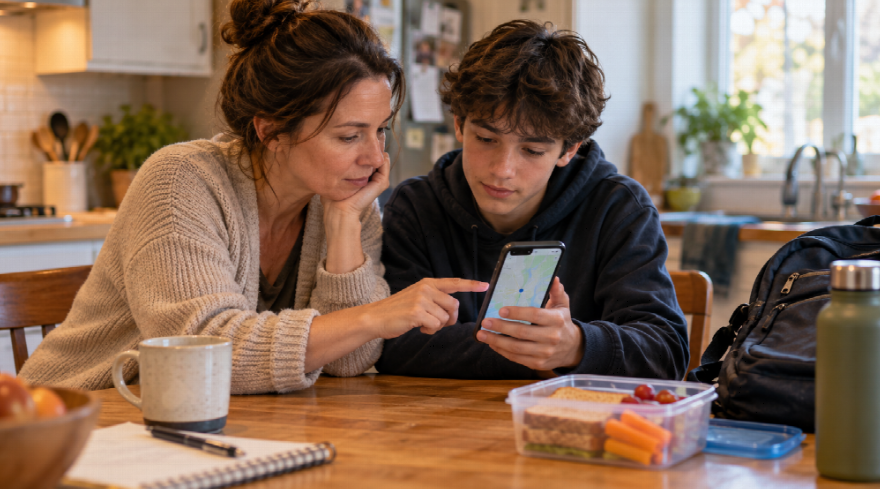
Family tracking apps can solve a very ordinary parenting problem. Your teenager is walking home, your child is at a friend’s house, or someone has missed the bus and is not answering messages. A quick location check can replace a lot of worried guessing.
That does not mean a tracking app should become a family surveillance system. Location is personal information, and children notice the difference between being supported and being watched. The most useful setup is not the one that collects the most data. It is the one everyone understands, uses when it is genuinely helpful, and can afford to keep using without creating a new monthly expense.
Decide What Problem the App Is Meant to Solve
Start with a practical question: what do we need this for? A younger child who walks home from school may need a simple arrival alert. A teen driver may benefit from a check-in after a long journey. A family caring for an older relative may have a different concern altogether. The purpose should decide the settings, rather than turning on every feature because it is there.
It helps to say the reason out loud. “I want to know you got home safely” feels very different from “I want to know where you are all the time.” The first gives a child a clear safety goal. The second can turn a useful tool into a source of conflict. Older children should be part of the conversation, especially if the app will share their location regularly.
Set a few boundaries together. Which adults can see the location? Will it be checked only when someone is late, travelling, or asks for help? Does a child need to tell a parent before changing a sharing setting? A family agreement will not prevent every disagreement, but it stops the app from becoming a silent rule that no one remembers agreeing to.
Use the Least Information That Does the Job
Many apps offer location history, driving reports, battery alerts, geofencing, messaging, and emergency features. Those options may be valuable, but more information is not automatically more safety. A location history that is never reviewed thoughtfully can feel invasive without helping anyone make a better decision.
Try the smallest useful configuration first. You might share live location only during the walk home, use an arrival notification rather than a map that is open all day, or create one alert for school pickup rather than several alerts for every routine stop. Review the setup after a week. If a feature has not helped, turn it off.
This approach can save money too. Some free versions are enough for simple check-ins, while paid plans may add features a family does not need. Before subscribing, check whether the app works across the phones you already own, whether everyone needs a paid account, and whether a built-in option such as a family group already covers the basics.
Protect the Account That Controls the Family Map
A tracking app is only as private as the account behind it. If someone gets into the parent’s email or the family-app account, they may be able to see locations, change settings, or lock the real family out. Use a unique password, enable two-factor authentication, and make sure the recovery email is one you still use.
It is also worth checking the app’s permissions with your child. Location may be necessary; access to every contact, photograph, microphone, and social account probably is not. Ask what each permission does before approving it. This is a good small lesson in digital judgement: an app can be useful without being entitled to every part of a phone.
Review the people in the family group every few months. Remove an old babysitter, a former partner, an outdated device, or anyone who no longer needs access. These changes can feel awkward, but they are normal account maintenance. A location-sharing circle should reflect the people currently responsible for one another, not every person who was once invited.
Be More Careful When a Child Connects Away From Home
Children and teenagers use Wi-Fi at school events, libraries, sports venues, cafés, and friends’ homes. Most of the time, the main issue is convenience. But a public network can also be the wrong place to reset a family-app password, update payment details, or add a new member to an account that holds location information.
On a legitimate public network, a Free VPN can add a layer of connection privacy by encrypting traffic between the device and the VPN service. X-VPN says its free service can be used without account registration, which may make it an accessible option for a family that wants basic protection on occasional public Wi-Fi. It is still not a substitute for checking the real network name, using a strong account password, or avoiding a suspicious link.
Make Room for Independence, Not Only Emergencies
Location sharing works best when it supports a child’s growing freedom. A teenager who knows that an app is there for missed buses, late-night rides, or a genuine safety issue may feel more comfortable trying new things. The goal is not to remove every unknown from their life. It is to make sure there is a calm way to reconnect when plans change.
That means parents need to model the same respect they ask for. Do not use the map as evidence in a small argument. Do not bring up a location detail that was never relevant to safety. If a child feels the app is being used to catch them out, they are more likely to disable it, leave the phone behind, or stop sharing when help would actually be useful.
A VPN may help protect the connection when a family member uses Wi-Fi they do not manage, but the more important protection is trust. Explain what the app can and cannot do, let children ask questions about the settings, and review the agreement as they get older.
Keep the Routine Simple Enough to Last
Good digital family rules should not require a weekly meeting or a technical manual. Choose the feature that solves the real problem, secure the account, limit unnecessary access, and revisit the arrangement when a child’s routine changes. A first phone, a new school, solo travel, or a driving licence are all reasonable times to check whether the old settings still fit.
The best result is not a perfect map of your child’s day. It is a family that knows how to stay in touch, protect private information, and ask for help without turning safety into surveillance.